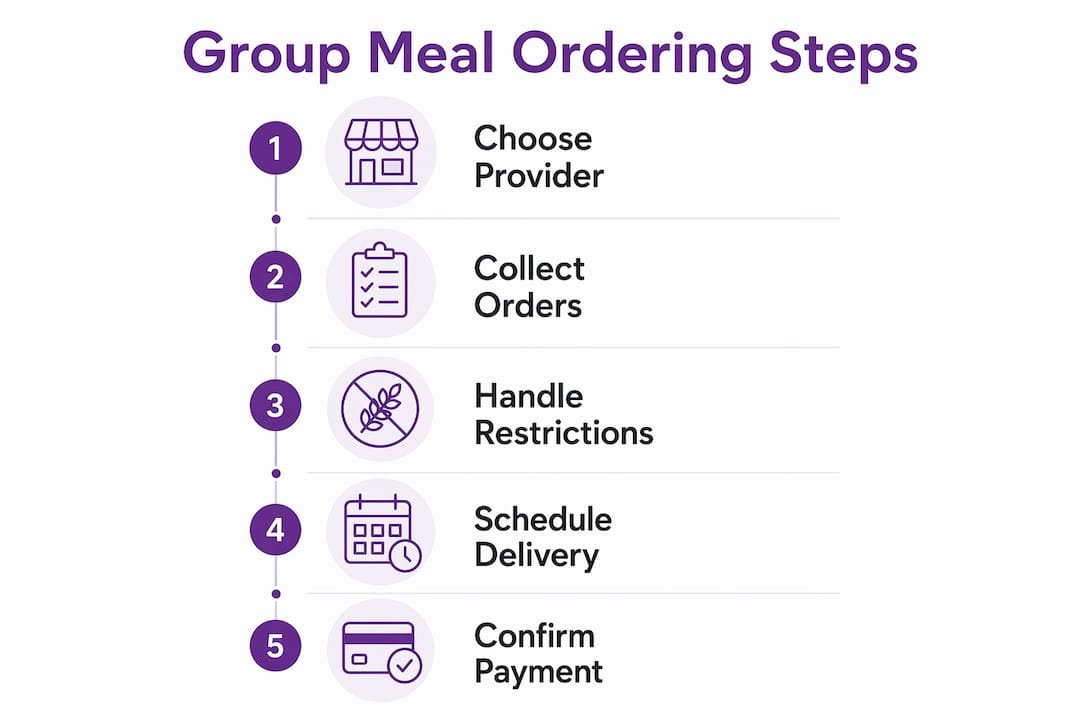
Ordering group meals efficiently comes down to four things: picking the right provider, collecting individual preferences digitally, handling dietary needs upfront, and nailing your timing. Get those four right and the whole process runs itself. Skip one and you’re chasing down orders at noon while your team waits hungry. Here’s the practical breakdown for Canadian teams and event organizers in 2026.
The core steps, in order:
- Choose your provider based on menu clarity, group experience, and reliable delivery.
- Collect orders digitally using a shareable link so everyone adds their own items.
- Gather dietary restrictions before you open the order, not after.
- Set a firm deadline and close the order with enough lead time.
- Confirm payment method upfront: organizer pays or participants pay individually.
- Keep a copy of the consolidated order summary at delivery to check items on arrival.
Pro Tip: Print or screenshot the full order summary before the food arrives. When something’s missing or mixed up, you’ll resolve it in seconds instead of digging through your phone.
How do you choose the right provider for group meal orders?
The provider you pick determines how smooth everything else goes. A restaurant that handles large orders well makes the whole process easier; one that doesn’t turns a simple lunch into a logistics headache.
Look for these criteria when evaluating options:
- Clear, priced menus with no “market price” items. Variable pricing causes budget surprises and makes per-person cost estimates unreliable.
- Proven group order experience. Ask directly whether they handle large orders regularly, or check reviews for accuracy and on-time delivery.
- Menu variety that covers vegetarian, vegan, gluten-free, and other common dietary needs without requiring special requests for every item.
- Reliable pickup or delivery to your location, with a track record of accuracy on large orders.
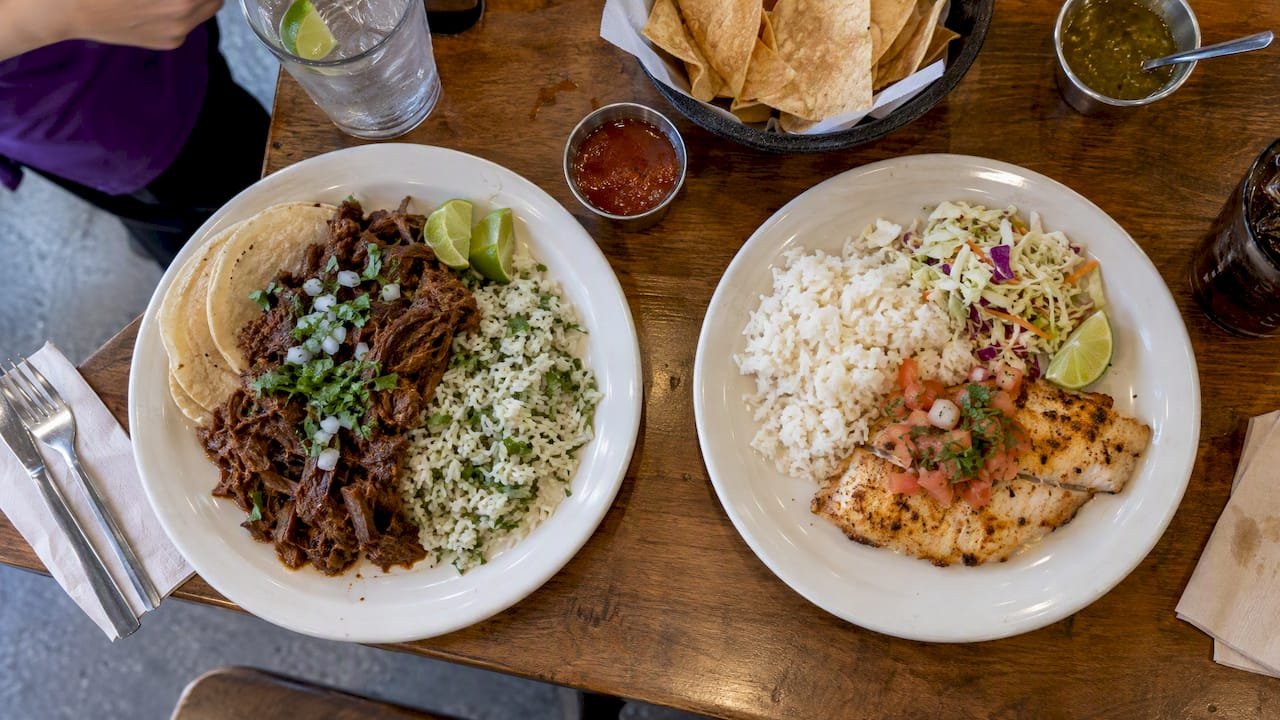
Burritosplendido is a strong example of what this looks like in practice. The Winnipeg-based chain builds its entire menu around customizable catering options with locally sourced Manitoba ingredients, including proteins slow-cooked in-house like Carnitas, Barbacoa, and Adobo Chicken. Every item is made fresh daily, and the menu is designed to accommodate gluten-free, vegan, keto, and paleo diets without improvising. For a Manitoba team ordering lunch for 20 people, that kind of built-in flexibility removes a lot of the coordination work.
Buffet-style service works well for larger groups because it reduces individual packaging and lets people serve themselves at their own pace. Individual boxed meals suit events where people are seated separately or where labelling by name matters. The occasion should drive that choice, not convenience alone.
Predictable, clearly priced menus matter more than sheer variety when you’re feeding a group. One surprise “market price” item can throw off your entire per-person budget, and chasing that down mid-order is nobody’s idea of a good time.
What digital platforms make group ordering easier?
Group ordering platforms remove the biggest friction point: collecting individual orders without becoming a human relay. Instead of gathering picks over Slack and manually building a cart, you share a link and let the group do the work.

Both Uber Eats and DoorDash support group orders with shareable links. Participants don’t need accounts to add items via a DoorDash group order link, which removes a common barrier. On Uber Eats, the organizer can set a per-person spending cap and choose whether to pay for everyone or split the bill. For on-demand orders, Uber Eats recommends capping at 15 meals and scheduling larger orders in advance, since most restaurants can’t fill more than that on short notice.
Best practices for digital group ordering:
- Share the link via your team’s messaging channel (Slack, Teams, email) with the deadline clearly stated.
- Set a per-person budget before sharing so no one accidentally orders well outside the intended range.
- Use the scheduling feature for groups over 15 or for any order tied to a specific meeting time.
- Lock the cart before checkout so no one edits their order after you’ve reviewed it.
- Designate one person to receive and lay out the delivery every time, not whoever happens to be nearby.
| Platform | Account needed to join? | Spending cap | Max on-demand meals | Pre-order window |
|---|---|---|---|---|
| Uber Eats | No (guests can join via link) | Yes, per person | 15 | Up to days in advance |
| DoorDash | No | Yes, per person | Not specified | — |
For larger or recurring orders, scheduling the day before is worth the extra step. One consolidated delivery to one drop point beats multiple staggered arrivals, especially when the meal is tied to a meeting start time. If your building has a loading dock or security desk with its own process, sort that out once and it stops being a recurring surprise.
Pro Tip: If you’re pairing a group meal with coffee or other refreshments, coordinate both deliveries to arrive in the same window. A guide to brewing coffee for large groups can help you plan quantities and timing so nothing runs out mid-meeting.
How do you handle dietary restrictions in group meal orders?
The most reliable approach is to shift the responsibility to the people who actually have the restrictions. When everyone selects their own meal through a shared link, they see the allergen information directly and choose accordingly. That removes the organizer from the middle of a chain where errors compound.
Before opening the order, collect known restrictions in a simple spreadsheet or form. Ask for allergies, not just preferences, and be specific: “gluten-free” and “celiac” require different levels of care. This list serves two purposes: it helps you choose a provider whose menu covers the group, and it gives you a reference if something goes wrong at delivery.
Steps for managing dietary needs effectively:
- Send a short pre-order survey asking for allergies, strong dislikes, and dietary categories (vegan, halal, etc.).
- Choose a provider with clearly labelled menu items, not one where you have to call to ask about ingredients.
- Confirm with the provider that cross-contamination protocols are in place for severe allergies.
- When using a shared-link platform, individual self-selection reduces organizer error because each person sees allergen details themselves.
- Keep the dietary spreadsheet open at delivery to cross-check that labelled items match what was ordered.
Burritosplendido’s menu is built for exactly this kind of group. Gluten-free soft corn tacos from La Cocina, vegan and vegetarian fillings, and a deep-fryer-free kitchen mean that most common dietary categories are covered without special requests. Staff are trained to handle cross-contamination concerns, which matters when someone at the table has a genuine allergy rather than a preference. For a detailed breakdown of how to plan around dietary needs, the dietary-friendly catering guide covers the full planning process.
Dietary accommodation isn’t just about having a vegan option on the menu. It’s about making sure the person with the allergy feels as included as everyone else, without having to ask twice.
What are the best timing and budgeting practices for group meals?
Timing is where most group orders fall apart. The food arrives, nobody’s ready to distribute it, and by the time everything’s laid out, half the team has wandered off or the hot food has gone cold.

For delivery orders, close the group order 1–2 hours before your target delivery time. For catering, give notice at least a day in advance, and more for large or complex orders. Build a buffer between delivery and when you tell people to show up. If the food arrives at noon, tell the group lunch starts at 12:15. That window lets you unpack, check the order against your summary, and set everything out without rushing.
Budgeting checklist:
- Set a per-person limit before sharing the ordering link, not after.
- Choose menu items with fixed prices. Avoid anything listed as “market price.”
- Factor in delivery fees, service charges, and tips when calculating per-person cost.
- Use platforms with individual payment options to avoid manual reimbursement follow-ups, which are time-consuming and often incomplete.
- For catering orders, explicitly request utensils, napkins, and plates in the order notes. These are easy to forget and hard to replace last-minute.
Pre-payment through the platform is the cleanest option. When participants pay for their own items at order time, there are no awkward follow-ups and no one is floating company money on a personal card. If the organizer is covering the whole order, a per-person spending cap keeps the total predictable. Either way, one consolidated bill is far easier to reconcile than a pile of individual receipts.
For recurring orders, like a weekly team lunch, save the restaurant, the budget settings, and the drop point. The next order becomes a quick edit rather than starting from scratch. A standing schedule also means the reminder goes out automatically instead of landing on your to-do list every Thursday morning.
Pro Tip: Tell participants the meal starts slightly later than delivery. If food arrives at noon, say lunch is scheduled shortly after, allowing time to set up. Nobody’s frustrated waiting, and you have time to get everything sorted before the first person walks up.
Key takeaways
Ordering group meals successfully depends on choosing a reliable provider with a clear menu, collecting orders digitally, and managing timing with a deliberate buffer before the meal starts.
| Point | Details |
|---|---|
| Choose the right provider | Prioritise clear, fixed-price menus and confirmed group order experience over novelty. |
| Use shareable ordering links | Platforms like Uber Eats and DoorDash let participants add their own items without needing accounts. |
| Handle dietary needs early | Collect restrictions before opening the order and choose a provider whose menu covers them by default. |
| Close orders with enough lead time | Delivery orders need to be closed 1–2 hours before your target delivery time; catering orders require at least 24 hours notice. |
| Pre-pay through the platform | Individual payment at order time eliminates reimbursement follow-ups and keeps the budget visible. |
Ready to order group meals in Manitoba?
Burritosplendido takes the guesswork out of group catering in Manitoba. Every item is made fresh daily from locally sourced ingredients, and the menu covers gluten-free, vegan, keto, and paleo diets without improvising. Whether you’re feeding a team of 10 or catering a full event, the Burritosplendido catering menu is built to handle it. Visit burritosplendido.com to explore options and place your next group order.